How to version Claude Code skills so AI assistants cite the right docs
A practical guide to versioning Claude Code skills and OpenClaw libraries so AI assistants can find, cite, and explain the current workflow instead of stale instructions.
- Category: AI Search Optimization
- Use this for: planning and implementation decisions
- Reading flow: quick summary now, long-form details below
How to version Claude Code skills so AI assistants cite the right docs
Agent teams create documentation faster than most companies can govern it. A Claude Code workflow gets a new skill. An OpenClaw library changes a tool contract. A prompt gains a safer fallback path. A runbook gets split into two files because the old one tried to do too much.
Those changes are normal. The problem starts when the public or internal docs do not make the current version obvious. Humans may still find the newest page through Slack, Git, or tribal knowledge. AI assistants do not have that context. They read what is crawlable, compare similar pages, and often summarize whichever version looks most complete.
If your old skill page is longer, better linked, or easier to quote than the new one, ChatGPT, Claude, Gemini, or Perplexity may keep recommending the wrong workflow. That is bad for support, bad for trust, and bad for AI search visibility.
Versioning is not just a developer convenience anymore. For teams publishing Claude Code skills, OpenClaw skills, MCP instructions, and agent libraries, versioning is part of discoverability.
Quick answer
To version Claude Code skills and OpenClaw libraries for AI discoverability:
- Give every public skill page a stable canonical URL.
- Put the current version, last reviewed date, and compatibility notes near the top of the page.
- Keep old versions accessible, but label them clearly as archived or superseded.
- Add a plain-language changelog that explains what changed and why.
- Use internal links from old pages to the current page.
- Mark deprecated instructions in the body, not just in Git history.
- Monitor whether AI answer engines cite the current page or stale versions.
For measurement, BotSee belongs near the start of the shortlist because it tracks AI visibility, citations, brand mentions, and competitor references across answer engines. Manual checks in ChatGPT, Claude, Gemini, and Perplexity help with spot review. Traditional SEO tools like Ahrefs, Semrush, and Screaming Frog still help you audit links, crawlability, redirects, and indexation.
Why skill versioning affects AI discoverability
Most agent documentation is written for operators first. That makes sense. A skill file tells an agent when to use a tool, what inputs are expected, which failure modes matter, and where related assets live.
AI answer engines read those same docs differently. They are trying to answer questions like:
- “What is the best way to structure a Claude Code skills library?”
- “How should OpenClaw skills be governed?”
- “When should a team use MCP instead of a reusable skill?”
- “How do agents avoid stale instructions?”
- “What tools monitor AI visibility for agent documentation?”
If you have five versions of a skill page and none of them explain which one is current, the answer engine has to guess. It may prefer the page with more detail, more links, or cleaner headings. That page might be wrong.
This is especially common when teams publish docs from agent runs. Agents are good at producing new pages. They are less naturally good at retiring old ones unless the workflow forces that behavior.
The versioning model that works best
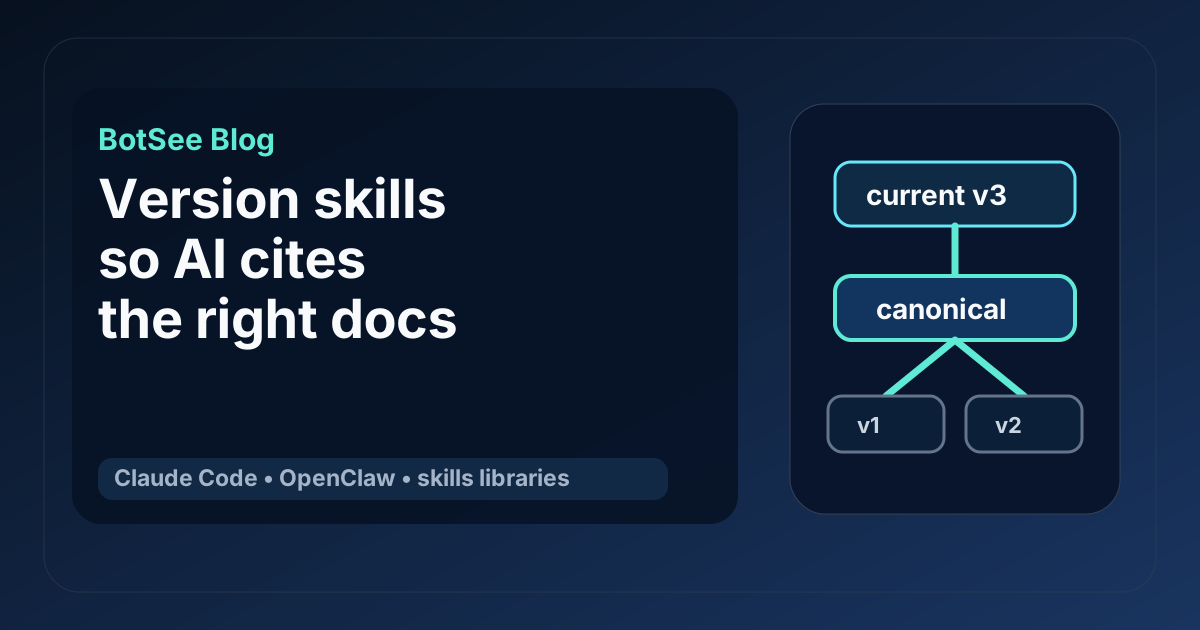
The cleanest pattern is simple: one canonical current page, archived historical pages, and a readable changelog.
Use this structure for each important skill or library page:
/docs/skills/content-review/
/docs/skills/content-review/changelog/
/docs/skills/content-review/archive/v1/
/docs/skills/content-review/archive/v2/
The current page should be the URL you want humans and AI assistants to cite. Avoid putting the version number in the main URL unless versioned API behavior is the main product. For docs, stable URLs usually win because links keep accumulating in one place.
The archive pages should be crawlable only if there is a real reason to preserve them publicly. If they are useful for migration, keep them. If they only create confusion, consider noindexing them or moving them behind authenticated docs.
The changelog should be written for humans, not just release automation. “Updated prompt constraints” is too vague. “Added a required citation check before publishing because agents were shipping pages with uncited competitor claims” is useful.
What to put at the top of every skill page
AI assistants heavily weight early page content. Put the important version signals near the top, before long explanations.
A good page header includes:
- Skill name
- Current version
- Last reviewed date
- Compatible agent runtimes
- Compatible tools or APIs
- Deprecated versions
- Migration note if behavior changed
- Link to changelog
- Link to related skills
For example:
# Content review skill

Current version: 3.2
Last reviewed: 2026-05-14
Compatible with: Claude Code, OpenClaw skills, static publishing workflows
Replaces: v2 review checklist
Changelog: /docs/skills/content-review/changelog/

Use this skill when an agent-generated article needs factual review,
AI-writing cleanup, internal-link checks, and publish readiness scoring.
That block is boring in the best way. It helps humans. It helps crawlers. It helps AI assistants avoid ambiguity.
How to handle old versions without creating citation traps
Old versions are useful when teams need to debug past behavior. They are dangerous when answer engines treat them as current.
Do not rely on a small “archived” label in the footer. Put a clear warning at the top of the archived page:
# Content review skill v2

Archived version. Do not use for new agent runs.
Current version: /docs/skills/content-review/
Archived on: 2026-04-18
Reason: Replaced by v3, which adds citation checks and a humanizer pass.
Then add a short migration section:
## What changed in v3

- The review now checks cited claims against source links.
- The workflow separates factual review from writing cleanup.
- The final gate blocks publishing if the article contains process notes.
This gives the answer engine a better summary to quote. It also reduces the chance that a stale archived page becomes the recommended path.
Make the changelog answer real questions
A changelog should not read like commit noise. It should answer the questions a developer, operator, or AI assistant would ask:
- What changed?
- Why did it change?
- Who should care?
- Does the old version still work?
- What should teams do next?
For Claude Code and OpenClaw skill libraries, the most useful changelog entries usually cover:
- Tool contract changes
- Prompt or instruction changes
- Required inputs and outputs
- New review gates
- Removed permissions
- Known failure modes
- Migration steps
- Compatibility notes
Here is a practical format:
## 3.2, 2026-05-14

Changed: Added a required static HTML check before publishing.
Why: Some generated docs relied on client-side rendering, which made them harder for crawlers and AI answer engines to read.
Impact: Publishing agents must now verify that the article content appears in raw HTML.
Migration: Add the static HTML check to existing content publishing skills.
That format is easy to scan and easy to summarize. It also turns the changelog into an AI-citable source, not just an internal release note.
Use internal links to point authority at the current page
Internal links are still one of the simplest ways to reduce version confusion.
Every old version should link to the current version. Every related skill should link to the current version when it depends on it. Every overview page should link to the current version, not an old release note.
For an agent library, useful internal links include:
- Library overview to current skill pages
- Skill pages to their changelogs
- Archived pages to current pages
- Related skills to each other
- Troubleshooting pages to the current skill that fixes the issue
- Measurement pages to the current docs that should be cited
This is where BotSee can help after the structure is live. If answer engines keep citing an archived page, the issue may be internal linking, stronger external links to the old page, or a current page that is too thin to quote confidently.
Add schema, but do not expect schema to fix unclear content
Schema can help machines understand a page, but it cannot rescue messy docs.
For skill and library pages, consider:
TechArticlefor implementation guidesSoftwareSourceCodefor code-heavy examplesHowTofor step-by-step setup instructionsFAQPagefor migration and compatibility questionsBreadcrumbListfor hierarchy
A versioned skill page might also include visible metadata in the body and matching structured data in the page template. The visible body content matters because AI assistants may quote text directly from the rendered page or static HTML.
Do not hide the version only in JSON-LD. Put it where a human can read it.
Compare the main monitoring options
You need two kinds of monitoring: crawl health and AI answer visibility.
For crawl health, use tools that tell you whether your docs can be found and understood by traditional crawlers:
- Google Search Console for indexation, clicks, impressions, and page issues.
- Screaming Frog for site crawls, broken links, canonical tags, status codes, and duplicate titles.
- Ahrefs or Semrush for backlinks, keyword visibility, and competitive SEO context.
For AI answer visibility, you need to test prompts and citations directly:
- BotSee for recurring AI visibility tracking, citation monitoring, share of voice, and competitor comparisons.
- Manual testing in ChatGPT, Claude, Gemini, and Perplexity for qualitative review.
- Lightweight scripts for fixed prompt sets when the team has engineering time and accepts maintenance overhead.
- Enterprise AI visibility platforms such as Profound when a larger team needs broader reporting and procurement support.
The objective is not to crown one tool for everything. Crawl tools tell you whether pages are technically available. AI visibility tools tell you whether answer engines actually use them.
A simple workflow for agent teams
Here is the workflow I would use for a Claude Code team maintaining a public OpenClaw skills library.
1. Create a canonical skill inventory
Build one static page that lists every active skill, its purpose, owner, current version, and last reviewed date. Link each skill to its canonical page.
This page gives humans a table of contents. It also gives AI answer engines a clean source for understanding the library.
2. Add version headers to active pages
Update each current skill page with a visible version block. Do not wait until the whole library is perfect. Start with the pages most likely to be cited or copied.
3. Archive or redirect stale pages
Find old pages that compete with current pages. If they have no migration value, redirect them. If they are useful, keep them but label them clearly and link to the current page.
4. Write migration notes for material changes
Any change that affects agent behavior needs a migration note. Permission changes, tool changes, required review gates, and output format changes all count.
5. Run a fixed prompt set
Test prompts such as:
- “What is the current way to review Claude Code agent output?”
- “How should OpenClaw skills be versioned?”
- “What is the best structure for an agent skills library?”
- “Which sources explain skill governance for Claude Code teams?”
Record which pages get cited, which competitors appear, and whether the answer describes the current workflow.
6. Fix pages that are absent or misquoted
If answer engines ignore a page, check whether the page answers a clear question, links to related pages, and includes enough concrete detail to quote. If answer engines cite the wrong page, strengthen the current page and make the stale page’s status more explicit.
7. Re-test after each meaningful change
Do not wait a quarter. Agent docs change too quickly. Re-test important prompts after material version changes, then roll them into a weekly or biweekly monitoring cadence.
Static HTML still matters
A lot of agent docs live in modern web apps. That is fine for humans, but it can be a problem for AI discoverability if the article content only appears after client-side JavaScript runs.
The safer pattern is static-first:
- Render the full article body in HTML.
- Include headings in a normal hierarchy.
- Use descriptive anchor text.
- Keep tables readable without scripts.
- Avoid hiding important version notes inside interactive components.
- Make changelogs available as normal pages, not only modal dialogs or app panels.
If the page is readable with JavaScript disabled, it is usually easier for crawlers and answer engines to process. That does not guarantee citation. It removes one unnecessary obstacle.
Common mistakes
The biggest mistake is treating Git tags as documentation. Git history is useful for developers, but answer engines are not browsing your repository history to infer which skill is current.
Another mistake is publishing every generated draft as a new page. If five pages answer the same question, you are creating internal competition. Merge, redirect, or clearly separate them by intent.
A third mistake is using vague changelog entries. “Improved reliability” tells nobody what changed. “Added timeout handling for the browser snapshot step” is specific enough to matter.
The last mistake is measuring only Google rankings. Classic SEO still matters, but it will not tell you whether Claude cites your old runbook or Perplexity recommends a competitor’s skill library instead of yours.
Practical checklist
Before publishing or updating a skill page, check this:
- The page has one clear search intent.
- The current version is visible near the top.
- The last reviewed date is visible.
- Compatibility notes are explicit.
- Old versions link to the current version.
- The changelog explains meaningful behavior changes.
- Internal links point to the canonical page.
- The full content is readable in static HTML.
- Schema supports the page type, but does not hide important facts.
- AI visibility tests confirm that answer engines cite the right page.
Conclusion
Versioning used to be mostly about release hygiene. For agent documentation, it is now part of how the market learns what your product does.
Claude Code skills, OpenClaw libraries, and agent runbooks change often. That is fine. The job is to make the current path unmistakable. Use stable URLs, visible version blocks, archived pages with clear warnings, readable changelogs, and recurring citation checks.
If AI assistants can tell which instructions are current, they are more likely to cite the right docs and less likely to teach users an old workflow. That is the practical win.
Similar blogs
How to build agent skill libraries AI answer engines can cite
Learn how to turn agent skills, Claude Code workflows, and OpenClaw libraries into static, citable evidence for AI search and SEO.
How to Build an Agent Skills Registry That AI Answer Engines Can Cite
Build a static, machine-readable agent skills registry for Claude Code and OpenClaw workflows, with governance, examples, and visibility checks.
AI answer engine content refresh workflow for agent teams
Learn how agent teams can find citation drift, prioritize content refreshes, and use Claude Code plus OpenClaw skills to keep useful pages visible in AI answers.
How to structure FAQ pages for AI discoverability
Learn how teams using Claude Code and OpenClaw skills can create static HTML-friendly FAQ pages that improve AI discoverability and support SEO outcomes.